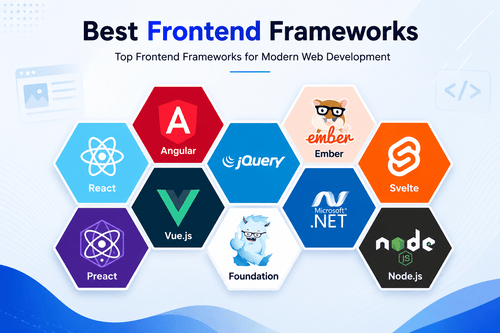
Building a website with plain JavaScript works fine until it doesn’t. Once you’re managing state across dozens of components, tracking down bugs turns into a full-time job. That’s the exact problem JavaScript frameworks were built to solve.
A JavaScript framework gives you structure for building interactive web apps: how components render, how data flows, how the page updates without a full reload. Some frameworks focus purely on the UI layer. Others are full meta-frameworks that handle routing, server rendering, and deployment too. Picking the right one shapes how fast you build and how easy the app is to maintain later.
This list covers 20 real JavaScript frameworks used in 2026, from the big three that dominate job listings to newer, faster options gaining real traction. i pulled actual feature details for each so you know what each one is actually built for, not just what’s trending on social media this month.
Pick based on what you’re actually building and what your team already knows, try building something small in it first, and go from there. The framework with the loudest hype cycle isn’t always the right fit for your project.
What is a JavaScript Framework?
A JavaScript framework is a structured set of tools and conventions for building web applications, handling things like rendering, state management, and component organization.
Some frameworks focus purely on the user interface layer, letting you build components that update efficiently when data changes. Others are full meta-frameworks, adding routing, server-side rendering, and build tooling on top of a UI framework so you get a complete application structure out of the box.
What are the Common Features of JavaScript Frameworks?
Most JavaScript frameworks share a similar core, though the approach and philosophy vary a lot between them.
- Component-based architecture: Breaks the UI into reusable, self-contained pieces.
- Reactive state management: Automatically updates the UI when underlying data changes.
- Virtual or fine-grained DOM updates: Optimizes how and when the browser actually re-renders content.
- Routing: Manages navigation between different views or pages within the app.
- Server-side rendering (SSR) or static generation: Renders pages on the server or at build time for faster load and better SEO.
- Developer tooling: Includes CLI tools, dev servers, and hot reloading during development.
- Ecosystem and plugin support: Provides access to a wider library of tools, components, and integrations.
- TypeScript support: Increasingly standard across modern frameworks for better type safety.
What are the Benefits of JavaScript Frameworks?
The biggest benefit is maintainability. Component-based structure makes large applications easier to reason about compared to plain JavaScript spread across scattered scripts.
Frameworks also speed up development significantly. Built-in state management, routing, and reactive updates mean you’re not writing that infrastructure from scratch for every project.
Performance often improves too, since many frameworks optimize rendering in ways that are hard to replicate manually. Fine-grained reactivity and efficient DOM updates keep apps feeling fast even as they grow more complex.
And hiring gets easier with popular frameworks. A large talent pool already knows React or Vue, which means faster onboarding than a fully custom, framework-free codebase would allow.
Who Uses JavaScript Frameworks?
Frontend developers use JavaScript frameworks daily to build interactive web applications and single-page apps. Full-stack developers use meta-frameworks like Next.js or Nuxt to handle both frontend and backend rendering logic in one project. Startups often pick popular frameworks like React to make hiring and finding support easier. Enterprise teams use structured frameworks like Angular that enforce consistency across large codebases and big engineering teams. And performance-focused teams sometimes choose newer, leaner frameworks like Svelte or SolidJS specifically to minimize bundle size and maximize speed.
How We Tested These JavaScript Frameworks
We looked at each framework’s actual architecture, performance characteristics, and ecosystem maturity. We compared core UI frameworks against full meta-frameworks separately, since they solve different layers of the problem. We also considered community size, job market demand, documentation quality, and how actively each framework is maintained, since long-term support matters for any real production application.
Quick Comparison of JavaScript Frameworks
| Framework | Type | Best For |
|---|---|---|
| React | UI library | Large ecosystem, flexible component-based apps |
| Vue.js | UI framework | Approachable, gradual adoption |
| Angular | Full framework | Large-scale enterprise applications |
| Svelte | Compiler-based framework | Small bundle size, fast performance |
| SolidJS | UI framework | Fine-grained reactivity and performance |
| Next.js | Meta-framework (React) | Full-stack React apps with SSR |
| Nuxt.js | Meta-framework (Vue) | Full-stack Vue apps with SSR |
| Remix | Meta-framework (React) | Web fundamentals-focused full-stack apps |
| Astro | Meta-framework | Content-heavy, fast-loading sites |
| Qwik | Resumable framework | Instant-loading, low-JS websites |
| Ember.js | Full framework | Convention-driven, long-term stability |
| Preact | UI library | Lightweight React alternative |
| Lit | Web components library | Framework-agnostic reusable components |
| Alpine.js | Lightweight framework | Adding interactivity to server-rendered pages |
| Backbone.js | Minimal framework | Simple, older-style single-page apps |
| Meteor | Full-stack framework | Real-time apps with integrated backend |
| SvelteKit | Meta-framework (Svelte) | Full-stack Svelte apps |
| Gatsby | Meta-framework (React) | Static site generation |
| Stencil | Compiler for web components | Framework-agnostic component libraries |
| Marko | UI framework | High-performance server-rendered apps |
20 Best JavaScript Frameworks (Detailed Reviews)
1. React
React is the most widely used JavaScript library for building user interfaces, known for its component-based model and massive surrounding ecosystem.
Key Features: Component-based architecture, virtual DOM for efficient updates, huge ecosystem of libraries and tools, strong hooks-based state management.
Pros: Enormous community and job market demand, flexible enough for almost any project type, extensive third-party library support.
Cons: Requires additional libraries for routing and state management on larger apps, since React itself is just the UI layer. Frequent ecosystem changes can mean relearning best practices.
2. Vue.js
Vue.js is known for being approachable, letting developers adopt it gradually into an existing project without a full rewrite, while still scaling to larger applications.
Key Features: Reactive data binding, single-file components, gradual adoption model, official routing and state management libraries.
Pros: Easier learning curve than React or Angular for many developers, clean and readable syntax, solid official documentation.
Cons: Smaller job market and ecosystem compared to React, though still substantial.
3. Angular
Angular is a full-featured framework backed by Google, known for its opinionated structure and strong fit for large, enterprise-scale applications.
Key Features: Built-in dependency injection, comprehensive CLI tooling, strong TypeScript integration by default, complete solution including routing and forms.
Pros: Enforces consistency across large teams and codebases, strong long-term support from Google, complete out-of-the-box tooling.
Cons: Steeper learning curve than React or Vue. Can feel heavy for smaller projects that don’t need its full structure.
4. Svelte
Svelte takes a different approach, compiling components into highly efficient vanilla JavaScript at build time instead of shipping a runtime framework to the browser.
Key Features: Compile-time optimization instead of a runtime virtual DOM, small bundle sizes, simple, readable syntax, built-in reactivity without extra libraries.
Pros: Excellent performance and small bundle sizes, simpler syntax than React for many common patterns, growing community.
Cons: Smaller ecosystem and job market than React, Vue, or Angular, though growing steadily.
5. SolidJS
SolidJS focuses on fine-grained reactivity, updating only the exact parts of the DOM that actually change instead of re-rendering whole components.
Key Features: Fine-grained reactive updates, JSX-based syntax similar to React, small bundle size, strong performance benchmarks.
Pros: Excellent performance, especially for apps with frequent updates, familiar syntax for developers coming from React.
Cons: Smaller community and ecosystem than more established frameworks. Fewer third-party libraries built specifically for it.
6. Next.js
Next.js is the most popular meta-framework built on React, adding server-side rendering, static generation, and full-stack capabilities on top of React’s UI layer.
Key Features: Server-side rendering and static site generation, built-in API routes for backend logic, image and font optimization, strong deployment integration with Vercel.
Pros: Handles both frontend and backend in one framework, excellent performance optimizations built in, huge community and strong documentation.
Cons: Some advanced features work best when deployed on Vercel specifically, though it can run elsewhere. Rapid framework changes sometimes require code updates between versions.
7. Nuxt.js
Nuxt.js is the Vue equivalent of Next.js, adding server-side rendering, routing, and full-stack capabilities on top of Vue’s component model.
Key Features: Server-side rendering and static generation, file-based routing, auto-imports for components and utilities, strong module ecosystem.
Pros: Great fit for teams already using Vue, clean conventions that reduce boilerplate, solid performance optimizations.
Cons: Smaller community and job market than the Next.js and React ecosystem.
8. Remix
Remix is a React-based meta-framework built around web fundamentals, focusing on nested routing and leveraging browser features rather than fighting against them.
Key Features: Nested routing model, server-side data loading tied directly to routes, progressive enhancement approach, strong focus on web standards.
Pros: Clean data loading patterns that reduce common React data-fetching headaches, good performance out of the box.
Cons: Smaller community than Next.js. Some patterns require a mental shift for developers used to more traditional React data fetching.
9. Astro
Astro is built specifically for content-heavy websites, shipping minimal JavaScript by default and only loading interactive components when actually needed.
Key Features: Islands architecture for minimal JavaScript shipping, support for multiple UI frameworks within one project, strong static site generation, built-in content collections for markdown-heavy sites.
Pros: Excellent performance for content sites and blogs, flexible enough to mix React, Vue, or Svelte components in one project.
Cons: Less suited to highly interactive, app-like experiences compared to frameworks built around client-side interactivity.
10. Qwik
Qwik takes a unique approach called resumability, aiming to make websites load instantly by deferring JavaScript execution until it’s actually needed.
Key Features: Resumable execution model instead of traditional hydration, extremely fast initial load times, fine-grained lazy loading, built-in routing through Qwik City.
Pros: Genuinely impressive load time performance, innovative approach to a long-standing web performance problem.
Cons: Newer and less proven at scale than more established frameworks. Smaller ecosystem and community.
11. Ember.js
Ember.js is one of the older JavaScript frameworks still actively maintained, known for strong conventions and long-term stability rather than chasing trends.
Key Features: Convention-over-configuration approach, built-in routing and data management, strong backward compatibility commitments, Ember CLI for project tooling.
Pros: Very stable for long-term projects, strong conventions reduce decision fatigue for teams.
Cons: Smaller community and job market than newer, more popular frameworks. Slower adoption of some modern JavaScript patterns.
12. Preact
Preact is a lightweight alternative to React, offering a nearly identical API in a much smaller package, popular for performance-sensitive projects.
Key Features: Tiny bundle size compared to React, compatible with much of the React ecosystem through a compatibility layer, fast rendering performance, simple API.
Pros: Significant bundle size savings over React, easy migration path for teams already familiar with React patterns.
Cons: Not every React library works perfectly with Preact’s compatibility layer, occasionally causing compatibility issues.
13. Lit
Lit is a lightweight library for building web components, framework-agnostic components that work across any project regardless of what framework the rest of the app uses.
Key Features: Standards-based web components, small footprint, reactive properties, works independently of any specific framework.
Pros: Great for building reusable components that work across different frameworks or projects, backed by Google with active development.
Cons: Less suited to building a full application on its own compared to complete frameworks like React or Vue.
14. Alpine.js
Alpine.js is a lightweight framework designed to add interactivity directly in your HTML, popular for server-rendered pages that just need small amounts of JavaScript behavior.
Key Features: Declarative syntax directly in HTML attributes, no build step required, tiny footprint, easy to sprinkle into existing server-rendered pages.
Pros: Extremely easy to add without restructuring an existing project, minimal learning curve, small file size.
Cons: Not built for large, complex single-page applications, since it’s designed for lighter interactivity rather than full app architecture.
15. Backbone.js
Backbone.js is one of the earliest JavaScript frameworks for building structured single-page applications, still used in some legacy codebases today.
Key Features: Minimal, unopinionated structure, models and views for organizing data and UI, works with many different templating engines, small footprint.
Pros: Simple and unopinionated, giving developers full control over architecture decisions.
Cons: Feels dated compared to modern reactive frameworks, and requires much more manual work for features frameworks now handle automatically.
16. Meteor
Meteor is a full-stack framework that bundles frontend and backend development together, historically known for real-time data syncing between client and server.
Key Features: Real-time data synchronization built in, integrated backend and database layer, works with React, Vue, or its own Blaze templating, full-stack JavaScript development.
Pros: Good for building real-time apps quickly, integrated full-stack approach reduces separate backend setup.
Cons: Smaller community than it once had, as many developers have shifted toward separate frontend and backend tools instead of a bundled approach.
17. SvelteKit
SvelteKit is the official meta-framework built on top of Svelte, adding routing, server-side rendering, and full-stack capabilities the same way Next.js does for React.
Key Features: File-based routing, server-side rendering and static generation, built-in API endpoints, tight integration with Svelte’s compiler-based approach.
Pros: Combines Svelte’s performance benefits with a complete application structure, clean and simple conventions.
Cons: Smaller ecosystem and community than Next.js or Nuxt, since Svelte itself has a smaller user base.
18. Gatsby
Gatsby is a React-based framework focused on static site generation, popular for blogs, marketing sites, and content-heavy projects that prioritize fast load times.
Key Features: Static site generation at build time, GraphQL-based data layer, large plugin ecosystem, strong image optimization tools.
Pros: Excellent performance for static content sites, large plugin library for common integrations.
Cons: Less suited to highly dynamic, frequently updated content compared to server-rendered alternatives like Next.js. GraphQL data layer adds complexity some developers don’t need.
19. Stencil
Stencil is a compiler that generates standards-based web components, letting teams build a component library that works across React, Vue, Angular, or plain JavaScript projects.
Key Features: Compiles to standard web components, TypeScript and JSX support, small runtime footprint, framework-agnostic output.
Pros: Great for teams building a design system or component library meant to work across multiple frameworks.
Cons: Less suited to building a full application on its own, since it’s focused specifically on component generation.
20. Marko
Marko is a UI framework developed at eBay, built with a strong focus on server-rendering performance for large-scale ecommerce and content applications.
Key Features: Fine-grained, streaming server-side rendering, small client-side JavaScript footprint, built-in support for partial hydration, strong performance at scale.
Pros: Strong performance for large, content-heavy applications with high traffic, proven at scale in production at eBay.
Cons: Much smaller community and ecosystem than mainstream frameworks like React or Vue, making it a harder sell for teams without a specific performance need.
What are the Alternatives to JavaScript Frameworks?
Some smaller projects skip frameworks entirely and build with plain, vanilla JavaScript, which works fine for simple pages without much interactivity. Server-rendered applications using traditional backend templating, without any client-side framework at all, remain a valid option for content that doesn’t need heavy interactivity. Low-code and no-code website builders can also replace a custom JavaScript framework for simpler marketing sites or landing pages.
Software Related to JavaScript Frameworks
JavaScript frameworks overlap with a few related categories: build tools and bundlers like Vite and Webpack, state management libraries, CSS-in-JS and styling frameworks, and backend frameworks for full-stack applications. Most real projects combine a JavaScript framework with several of these supporting tools rather than relying on the framework alone.
Challenges with JavaScript Frameworks
Framework churn is a real problem in the JavaScript ecosystem, with new tools and patterns emerging constantly, making it hard to know what’s worth learning versus what will fade out. Bundle size can bloat quickly if you’re not careful, especially with heavier frameworks and too many added dependencies. Performance tuning requires real understanding of how a framework’s rendering model works, since default setups don’t always perform well at scale. Hiring for newer or smaller frameworks can be harder than hiring for React or Vue, simply due to talent pool size. And keeping up with breaking changes across major version updates takes ongoing maintenance effort that teams sometimes underestimate.
Which Companies Should Buy JavaScript Frameworks
Startups building a product fast with easy hiring in mind should default to React or Vue given their large talent pools. Enterprises with big teams and long-term projects should consider Angular for its enforced structure and consistency. Content-heavy sites like blogs and marketing pages should look at Astro or Gatsby for their performance benefits. Teams building real-time or highly interactive apps should consider Meteor or a React-based meta-framework like Next.js. And performance-obsessed teams building for constrained environments should look at Svelte, SolidJS, or Qwik.
How to Choose Best JavaScript Framework
Start by considering what you’re actually building, since a content site, a real-time app, and an enterprise dashboard all have different ideal frameworks. Check the size of the community and job market if you’ll need to hire, since that affects both support and staffing. Look at performance characteristics relevant to your use case, not just generic benchmarks that may not reflect your actual traffic patterns. Consider whether you need a full meta-framework with routing and server rendering built in, or just a UI library you’ll build up yourself. And build a small real feature in your top choices before committing, since documentation reading only tells you so much.
JavaScript Framework Trends
Compiler-based frameworks like Svelte are gaining more attention as developers look for smaller bundle sizes and less runtime overhead. Resumability and partial hydration techniques, pioneered by frameworks like Qwik, are influencing how other frameworks think about initial load performance. Meta-frameworks are becoming the default choice over standalone UI libraries, since most real projects need routing and server rendering anyway. Web components are seeing renewed interest as a way to build framework-agnostic, reusable components. And AI-assisted development tools are increasingly built directly into framework tooling and IDEs, speeding up component generation and boilerplate.
Common JavaScript Framework Problems (Fixes)
Problem: The app’s bundle size keeps growing and load times slow down. Fix: Audit dependencies regularly, use code splitting where your framework supports it, and consider lighter alternatives like Preact or Svelte for performance-critical parts.
Problem: State management becomes messy as the app grows. Fix: Adopt a dedicated state management pattern or library early, rather than letting ad-hoc state spread across components.
Problem: A major framework version update breaks existing code. Fix: Read migration guides carefully before upgrading, and test thoroughly in a staging environment before deploying a version bump to production.
Problem: Server-side rendering causes hydration mismatches or errors. Fix: Make sure server and client rendering produce identical output, and avoid using browser-only APIs during the initial render.
Problem: Hiring developers for a smaller or newer framework is difficult. Fix: Weigh this cost honestly before choosing a framework, and consider training existing team members if long-term hiring looks like a bottleneck.
FAQs About JavaScript Frameworks
What is a JavaScript framework?
It’s a structured set of tools and conventions for building web applications, handling rendering, state management, and often routing and server rendering too.
Which JavaScript framework should I learn first?
React is a common starting point given its large ecosystem and job market, though Vue is often considered easier to learn initially.
What’s the difference between a JavaScript library and a framework?
A library, like React, typically handles one specific layer, usually the UI, while a full framework, like Angular, provides a more complete, opinionated structure for the whole application.
Which JavaScript framework is fastest?
Svelte, SolidJS, and Qwik consistently perform well in benchmarks thanks to their different approaches to minimizing runtime overhead.
Do I need a meta-framework like Next.js or just a UI library like React?
If you need routing, server-side rendering, or backend API routes, a meta-framework saves significant setup time. For simpler apps or when you want full control, a standalone UI library may be enough.
Which JavaScript framework is best for large enterprise applications?
Angular is often the default choice for large enterprise teams thanks to its enforced structure, strong TypeScript integration, and long-term support from Google.