Shipping code used to mean a developer finished their part, then threw it over the wall to an ops team. That wall caused delays, miscommunication, and outages nobody saw coming until it was too late. DevOps tools exist to tear that wall down.
These tools automate the path from code commit to production: building, testing, deploying, monitoring, and fixing things when they break. Some handle continuous integration and deployment. Others manage infrastructure as code, containers, monitoring, or incident response. Most teams end up combining several rather than relying on just one.
This list covers 25 real DevOps tools used in 2026, spanning CI/CD, containerization, infrastructure automation, monitoring, and incident management. i pulled actual feature details for each so you can see what each tool actually does, not just where it sits on a hype curve.
Pick tools that cover the gaps in your current pipeline, start small, and expand your toolchain as your team’s needs grow. Trying to adopt everything on this list at once will slow you down, not speed you up.
What is a DevOps Tool?
A DevOps tool is software that automates part of the process of building, testing, deploying, and monitoring applications, helping development and operations teams work together more efficiently.
Some DevOps tools focus on continuous integration and deployment (CI/CD), automating how code moves from a commit to a live production environment. Others handle infrastructure automation, containerization, monitoring, or incident response. Most real DevOps pipelines combine several tools across these categories rather than relying on just one.
What are the Common Features of DevOps Tools?
Most DevOps tools share some overlapping capabilities, though the specific focus varies a lot depending on where each tool fits in the pipeline.
- Automation pipelines: Automates repetitive steps like building, testing, and deploying code.
- Infrastructure as code: Lets teams define and manage infrastructure through version-controlled configuration files.
- Containerization and orchestration: Packages applications into portable containers and manages them at scale.
- Monitoring and alerting: Tracks system health and notifies teams when something goes wrong.
- Configuration management: Keeps server and environment configurations consistent across a fleet of machines.
- Version control integration: Connects tightly with Git or other version control systems to trigger automated workflows.
- Logging and observability: Collects and organizes logs and metrics for troubleshooting issues.
- Secrets management: Securely stores and manages sensitive credentials and configuration values.
What are the Benefits of DevOps Tools?
The biggest benefit is speed. Automated pipelines mean code gets tested and deployed faster and more reliably than manual processes ever could.
DevOps tools also reduce human error. Manual deployments are prone to mistakes, especially under time pressure, while automated pipelines run the same steps consistently every time.
Monitoring and alerting tools catch problems faster too. Instead of waiting for a customer to report an outage, teams get notified the moment a system starts showing signs of trouble.
And infrastructure as code makes environments reproducible. Spinning up a new server or environment becomes a matter of running a script instead of manually configuring everything by hand, which reduces both time and inconsistency between environments.
Who Uses DevOps Tools?
Software engineering teams use CI/CD tools to automate testing and deployment so they can ship code more frequently and reliably. Site reliability engineers (SREs) use monitoring and incident response tools to keep production systems healthy and respond quickly when something breaks. Infrastructure and platform teams use infrastructure-as-code and configuration management tools to manage servers and cloud resources consistently. Security teams use secrets management and auditing tools to keep sensitive credentials protected. And engineering leadership uses DevOps tooling broadly to improve deployment frequency and reduce the time it takes to recover from incidents. Beyond technical operations, finance departments also integrate specialized platforms to manage expenses effectively. Financial teams leverage cloud cost optimization tools to gain granular visibility into resource consumption and ensure cloud spending aligns with budgetary objectives.
How We Tested These DevOps Tools
We looked at each tool’s actual feature set and where it fits in a typical DevOps pipeline, since these tools solve very different problems depending on their category. We compared tools within the same category against each other, since a CI/CD tool and a monitoring tool shouldn’t be judged the same way. We also considered ease of setup, integration with common tech stacks, pricing structure, and how active each tool’s community and development actually is.
Quick Comparison of DevOps Tools
| Tool | Category | Best For |
|---|---|---|
| Jenkins | CI/CD | Highly customizable, self-hosted automation |
| GitLab CI/CD | CI/CD | Integrated pipelines within GitLab repositories |
| GitHub Actions | CI/CD | Automation tightly integrated with GitHub repos |
| CircleCI | CI/CD | Fast, cloud-based continuous integration |
| Travis CI | CI/CD | Open-source project automation |
| Docker | Containerization | Packaging applications into portable containers |
| Kubernetes | Container orchestration | Managing containers at scale |
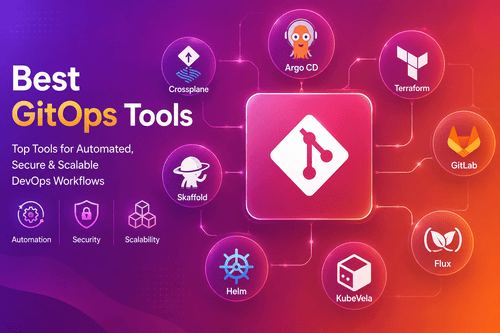
| Terraform | Infrastructure as code | Multi-cloud infrastructure provisioning |
| Ansible | Configuration management | Agentless server automation |
| Puppet | Configuration management | Enterprise-scale configuration enforcement |
| Chef | Configuration management | Code-driven infrastructure automation |
| Prometheus | Monitoring | Metrics collection and alerting |
| Grafana | Monitoring/visualization | Dashboards and data visualization |
| Datadog | Monitoring | Full-stack observability and monitoring |
| New Relic | Monitoring | Application performance monitoring |
| ArgoCD | Continuous deployment | GitOps-based Kubernetes deployment |
| Helm | Package management (Kubernetes) | Managing Kubernetes application packages |
| Vagrant | Development environments | Reproducible local development environments |
| Consul | Service discovery | Service networking and discovery |
| Vault | Secrets management | Securely storing and managing secrets |
| Nagios | Monitoring | Traditional infrastructure monitoring |
| Splunk | Log management | Searching and analyzing machine-generated data |
| PagerDuty | Incident management | On-call scheduling and incident response |
| Bitbucket Pipelines | CI/CD | CI/CD integrated with Bitbucket repositories |
| Spinnaker | Continuous deployment | Multi-cloud continuous delivery |
25 Best DevOps Tools (Detailed Reviews)
1. Jenkins
Jenkins is one of the longest-running and most widely used CI/CD tools, known for being highly customizable through a massive plugin ecosystem.
Key Features: Extensive plugin marketplace, self-hosted flexibility, pipeline-as-code support, integration with nearly any tool in a DevOps toolchain.
Pros: Free and open-source, extremely flexible and customizable, huge community and plugin support.
Cons: Requires more setup and maintenance than cloud-hosted alternatives. Interface feels dated compared to newer CI/CD tools.
2. GitLab CI/CD
GitLab CI/CD is built directly into GitLab, letting teams manage code, pipelines, and deployment all within one connected platform.
Key Features: Native integration with GitLab repositories, built-in container registry, auto DevOps for simplified pipeline setup, strong security scanning features.
Pros: Everything in one place if you’re already using GitLab, reduces tool sprawl, strong built-in security features.
Cons: Less useful if your team isn’t already using GitLab for source control.
3. GitHub Actions
GitHub Actions brings CI/CD automation directly into GitHub, letting teams trigger workflows based on repository events without needing a separate CI/CD platform.
Key Features: Native GitHub integration, large marketplace of pre-built actions, matrix builds for testing across multiple environments, free tier for public repositories.
Pros: Seamless if you’re already using GitHub, huge library of community-built actions, generous free tier for open-source projects.
Cons: Costs can add up for private repositories with heavy usage. Less flexible than Jenkins for highly custom, self-hosted setups.
4. CircleCI
CircleCI is a cloud-based CI/CD platform known for fast build times and a straightforward setup process compared to self-hosted alternatives.
Key Features: Fast, parallelized builds, Docker-based execution environments, orbs for reusable configuration, strong integration with GitHub and Bitbucket.
Pros: Fast and reliable build performance, easier setup than self-hosted Jenkins, good free tier for smaller projects.
Cons: Costs scale with usage, which can get expensive for larger teams with heavy build volume.
5. Travis CI
Travis CI was one of the earlier popular CI tools for open-source projects, known for simple configuration through a YAML file in the repository.
Key Features: Simple YAML-based configuration, tight GitHub integration, support for many languages out of the box, build matrix testing.
Pros: Easy to configure for straightforward projects, long history of reliable service for open-source projects.
Cons: Has lost significant market share to GitHub Actions and CircleCI in recent years, with development slowing compared to competitors.
6. Docker
Docker is the tool that popularized containerization, letting developers package an application with all its dependencies into a portable container that runs consistently anywhere.
Key Features: Container packaging and runtime, Docker Compose for multi-container applications, large image registry through Docker Hub, consistent environments across development and production.
Pros: Solves the “works on my machine” problem effectively, huge ecosystem and community, works well with nearly every other DevOps tool.
Cons: Learning curve for teams new to containerization. Managing containers at scale requires an orchestration tool like Kubernetes on top of Docker itself.
7. Kubernetes
Kubernetes is the dominant container orchestration platform, managing how containers are deployed, scaled, and kept healthy across a cluster of machines.
Key Features: Automated container scaling and healing, service discovery and load balancing built in, rolling updates with rollback support, extensive ecosystem of extensions and tools.
Pros: Industry standard for container orchestration, powerful automation for scaling and reliability, huge community and cloud provider support.
Cons: Steep learning curve, and running your own cluster requires real operational expertise. Overkill for smaller applications that don’t need this level of orchestration.
8. Terraform
Terraform is the most widely used infrastructure-as-code tool, letting teams define cloud infrastructure in configuration files instead of manually clicking through cloud provider dashboards.
Key Features: Multi-cloud provider support, declarative configuration language, state management for tracking infrastructure changes, plan and apply workflow for safe changes.
Pros: Works across nearly every major cloud provider, strong community and module ecosystem, predictable and repeatable infrastructure changes.
Cons: State file management can get complicated in larger teams without proper practices in place.
9. Ansible
Ansible automates server configuration and application deployment without requiring an agent installed on target machines, using simple, readable YAML playbooks.
Key Features: Agentless architecture using SSH, YAML-based playbooks, large library of pre-built modules, idempotent operations that are safe to run repeatedly.
Pros: No agent installation needed on managed servers, easy to read and write configuration, strong community and module ecosystem.
Cons: Can be slower than agent-based tools for very large-scale infrastructure due to its SSH-based approach.
10. Puppet
Puppet is a mature configuration management tool built around enforcing a desired system state across large fleets of servers, popular in enterprise environments.
Key Features: Declarative configuration language, agent-based architecture for continuous enforcement, strong reporting and compliance tools, large module ecosystem.
Pros: Proven at enterprise scale, strong for enforcing consistent configuration across large infrastructure, good compliance and auditing features.
Cons: Steeper learning curve than Ansible. Requires managing agents on target machines, adding operational overhead.
11. Chef
Chef takes a code-driven approach to infrastructure automation, letting teams define configuration using a Ruby-based domain-specific language.
Key Features: Ruby-based configuration recipes, agent-based enforcement, strong testing tools for infrastructure code, integration with major cloud providers.
Pros: Powerful and flexible for teams comfortable with a code-first approach, strong testing culture built into its tooling.
Cons: Ruby-based syntax has a steeper learning curve than Ansible’s simpler YAML approach. Smaller community than it once had as Ansible gained popularity.
12. Prometheus
Prometheus is an open-source monitoring tool built for collecting time-series metrics and alerting on system health, especially popular for Kubernetes environments.
Key Features: Time-series metrics collection, powerful query language (PromQL), built-in alerting rules, strong integration with Kubernetes and cloud-native tools.
Pros: Free and open-source, strong fit for cloud-native and containerized environments, large community adoption.
Cons: Long-term storage of metrics requires additional tools, since Prometheus itself isn’t designed for extended historical retention by default.
13. Grafana
Grafana is a visualization tool that turns metrics and logs from other sources, like Prometheus, into readable dashboards and graphs.
Key Features: Customizable dashboards, support for many data sources beyond Prometheus, alerting capabilities, strong plugin ecosystem.
Pros: Excellent visualization capabilities, works with a wide range of data sources, free and open-source core.
Cons: Grafana itself doesn’t collect data, so it needs to be paired with a data source like Prometheus or a logging tool to be useful.
14. Datadog
Datadog is a full-stack observability platform combining infrastructure monitoring, application performance monitoring, and log management in one connected system.
Key Features: Unified infrastructure and application monitoring, log management, real user monitoring, extensive third-party integrations.
Pros: Comprehensive observability in one platform, reduces the need for multiple separate monitoring tools, strong dashboards and alerting.
Cons: Pricing can climb quickly as you add more hosts, services, and data volume.
15. New Relic
New Relic focuses on application performance monitoring, helping teams understand how their code performs in production and where bottlenecks occur.
Key Features: Application performance monitoring, distributed tracing, error tracking, infrastructure monitoring add-ons.
Pros: Strong application-level performance insights, good for identifying slow code paths and bottlenecks specifically.
Cons: Pricing based on usage can become expensive at scale, similar to other full-featured observability platforms.
16. ArgoCD
ArgoCD is a GitOps continuous deployment tool for Kubernetes, syncing your cluster’s actual state with what’s defined in a Git repository automatically.
Key Features: GitOps-based deployment model, automatic sync between Git and cluster state, visual dashboard for deployment status, rollback support through Git history.
Pros: Strong fit for teams already using Kubernetes and wanting a GitOps workflow, clear visibility into deployment state.
Cons: Specifically built for Kubernetes, so it’s not relevant outside that ecosystem.
17. Helm
Helm is often called the package manager for Kubernetes, letting teams define, install, and upgrade complex Kubernetes applications using reusable templates called charts.
Key Features: Templated Kubernetes application packaging, versioned releases with rollback support, large repository of community charts, simplifies complex multi-resource deployments.
Pros: Significantly simplifies deploying complex Kubernetes applications, large ecosystem of pre-built charts for common software.
Cons: Templating syntax has a learning curve, and debugging chart issues can be tricky for newcomers.
18. Vagrant
Vagrant creates reproducible local development environments using virtual machines, letting teams ensure every developer works in an identical setup.
Key Features: Reproducible virtual machine environments, configuration through a simple Vagrantfile, integration with common virtualization providers, shareable environment definitions across a team.
Pros: Solves environment inconsistency issues for local development, straightforward configuration.
Cons: Virtual machines are heavier than container-based alternatives like Docker, which has reduced Vagrant’s popularity somewhat in recent years.
19. Consul
Consul handles service discovery and networking for distributed systems, helping services find and communicate with each other reliably as infrastructure scales.
Key Features: Service discovery and health checking, service mesh capabilities, key-value store for configuration, multi-datacenter support.
Pros: Strong for managing service-to-service communication in complex, distributed architectures, good multi-cloud and multi-datacenter support.
Cons: Adds operational complexity that’s only worth it once you have a genuinely distributed, service-heavy architecture.
20. Vault
Vault manages secrets and sensitive data, like API keys and passwords, providing secure storage and controlled access instead of scattering credentials across config files.
Key Features: Secure secrets storage, dynamic secrets generation, access control policies, audit logging for compliance.
Pros: Strong security model for managing sensitive credentials, integrates well with other HashiCorp tools like Terraform and Consul.
Cons: Setup and operational overhead is real, and misconfiguration can create a false sense of security if not implemented carefully.
21. Nagios
Nagios is a long-established, traditional infrastructure monitoring tool, still used by many organizations for monitoring servers, network devices, and services.
Key Features: Server and network monitoring, customizable alerting, plugin architecture for extending checks, established, mature codebase.
Pros: Proven and reliable for traditional infrastructure monitoring, large library of community plugins.
Cons: Interface and setup feel dated compared to newer, cloud-native monitoring tools like Prometheus or Datadog.
22. Splunk
Splunk specializes in searching, analyzing, and visualizing machine-generated data, particularly popular for log management and security monitoring at scale.
Key Features: Powerful log search and analysis, real-time data indexing, customizable dashboards, strong security and compliance use cases.
Pros: Extremely powerful for searching through large volumes of log data, strong for security and compliance monitoring.
Cons: Pricing can be expensive at scale, based on data volume ingested, which adds up fast for high-log-volume environments.
23. PagerDuty
PagerDuty manages on-call scheduling and incident response, making sure the right person gets notified quickly when something breaks in production.
Key Features: On-call scheduling and escalation policies, multi-channel alerting (phone, SMS, app), incident timeline tracking, integration with monitoring tools like Datadog and Prometheus.
Pros: Reliable and fast alerting when incidents happen, strong integration ecosystem with monitoring and observability tools.
Cons: Pricing scales with team size and usage, which can add up for larger on-call rotations.
24. Bitbucket Pipelines
Bitbucket Pipelines is Atlassian’s CI/CD tool built directly into Bitbucket, letting teams automate builds and deployments without a separate CI/CD platform.
Key Features: Native Bitbucket integration, Docker-based build environments, deployment tracking, integration with other Atlassian tools like Jira.
Pros: Convenient if you’re already using Bitbucket and other Atlassian tools, straightforward setup for basic pipelines.
Cons: Smaller ecosystem and community compared to GitHub Actions or GitLab CI/CD.
25. Spinnaker
Spinnaker is a multi-cloud continuous delivery platform originally built by Netflix, designed for complex deployment strategies across multiple cloud providers.
Key Features: Multi-cloud deployment support, advanced deployment strategies like canary releases, visual pipeline management, strong integration with major cloud providers.
Pros: Strong for complex, multi-cloud deployment scenarios, proven at scale given its origins at Netflix.
Cons: Significant setup and operational complexity, better suited to larger organizations with dedicated platform teams than smaller ones.
What are the Alternatives to DevOps Tools?
Some smaller teams skip dedicated DevOps tooling and rely on manual deployment processes, which works only until team size or deployment frequency grows past what manual steps can reliably handle. Managed platform-as-a-service providers can also reduce the need for some DevOps tools, since they handle infrastructure and deployment automation behind the scenes. And smaller teams sometimes rely on their cloud provider’s built-in tools instead of adopting a separate, dedicated DevOps toolchain.
Software Related to DevOps Tools
DevOps tools overlap with a few related categories: version control systems like Git, cloud infrastructure platforms like AWS, Azure, and Google Cloud, application performance monitoring tools, and security scanning tools built into CI/CD pipelines. Most real DevOps toolchains combine tools across several of these categories rather than relying on any single tool alone.
Challenges with DevOps Tools
Tool sprawl is a common problem, with teams accumulating overlapping tools across CI/CD, monitoring, and infrastructure management without a clear strategy. Learning curves for tools like Kubernetes or Terraform are real, and rushing adoption without proper training leads to costly mistakes. Integration between different tools in a toolchain can also be more complicated than vendor marketing suggests, especially across tools from different providers. Cost management is another challenge, since usage-based pricing on monitoring and CI/CD tools can climb unexpectedly as usage scales. And maintaining security across a growing DevOps toolchain, especially secrets and access management, requires ongoing discipline that’s easy to neglect under deadline pressure.
Which Companies Should Buy DevOps Tools
Small teams and startups should start with straightforward, often free tools like GitHub Actions for CI/CD and Docker for containerization before adding more complexity. Growing teams running containerized applications should add Kubernetes and Helm once their container footprint justifies the operational overhead. Enterprises with complex, multi-cloud infrastructure should consider Terraform, Spinnaker, and a full observability platform like Datadog. Teams with strict compliance and security requirements should prioritize Vault for secrets management and Splunk for security-focused log analysis. And any team running production systems needs a solid incident response tool like PagerDuty regardless of size.
How to Choose Best DevOps Tools
Start by identifying the actual gaps in your current pipeline, rather than adopting tools just because they’re popular. Check how well a tool integrates with your existing tech stack, since a tool that doesn’t fit your current workflow creates friction instead of removing it. Consider your team’s size and operational maturity, since tools like Kubernetes or Spinnaker are genuinely overkill for smaller teams without the operational needs to justify them. Look at pricing models carefully, especially usage-based tools where costs can scale unpredictably. And introduce new tools gradually, giving your team time to actually learn and adopt each one properly instead of overwhelming everyone at once.
DevOps Tools Trends
GitOps, where infrastructure and deployment state are managed entirely through Git repositories, continues gaining adoption as teams want clearer audit trails and rollback capability. AI-assisted DevOps tooling is growing, helping predict failures, suggest optimizations, and even auto-remediate certain incidents. Platform engineering is emerging as its own discipline, with internal developer platforms consolidating DevOps tooling behind a simpler interface for application teams. Observability is expanding beyond traditional monitoring into full-stack tracing and correlation across logs, metrics, and traces together. And security is increasingly built directly into DevOps pipelines from the start, rather than being bolted on as a separate step later, often referred to as DevSecOps.
Common DevOps Tools Problems (Fixes)
Problem: Deployments fail intermittently without a clear cause. Fix: Improve logging and observability around the deployment pipeline itself, not just the application, so failures are easier to trace back to their root cause.
Problem: Infrastructure configuration drifts from what’s defined in code. Fix: Run regular infrastructure-as-code plan checks to catch drift, and restrict manual changes to infrastructure outside of your defined pipeline.
Problem: Monitoring tools generate too many alerts, causing alert fatigue. Fix: Tune alert thresholds to reduce noise, and prioritize alerts by actual severity so on-call teams aren’t overwhelmed by low-priority notifications.
Problem: Secrets end up hardcoded in configuration files or source code. Fix: Adopt a dedicated secrets management tool like Vault, and set up scanning tools in your CI/CD pipeline to catch accidentally committed credentials.
Problem: Tool costs grow faster than expected as usage scales. Fix: Review usage-based pricing regularly, set budget alerts where your tools support them, and reassess whether every tool in your stack is still necessary as your needs evolve.
FAQs About DevOps Tools
What is a DevOps tool?
It’s software that automates part of the process of building, testing, deploying, and monitoring applications, helping development and operations teams work together more efficiently.
Do I need all of these tools for a DevOps pipeline?
No. Most teams start with a few core tools, like a CI/CD platform and basic monitoring, and add more specialized tools as their infrastructure and team size grow.
What’s the difference between Docker and Kubernetes?
Docker packages applications into containers, while Kubernetes manages and orchestrates those containers at scale across multiple machines.
Which DevOps tool should a small team start with?
A CI/CD tool tied to your existing code repository, like GitHub Actions or GitLab CI/CD, is usually the simplest and most valuable first step.
What’s the difference between Terraform and Ansible?
Terraform focuses on provisioning infrastructure, like creating servers and cloud resources, while Ansible focuses on configuring and managing software on servers that already exist.
Are DevOps tools only useful for large companies?
No. Small teams benefit from automation and monitoring just as much, though they typically need fewer and simpler tools than large, complex organizations.