You start a new project and immediately hit the same wall: which framework do you actually pick? Everyone on Twitter has a strong opinion, half of them contradict each other, and you just want to start building something that works.
A frontend framework gives you the structure to build user interfaces without reinventing basic patterns every time. Some prioritize speed, others prioritize flexibility, and picking wrong means fighting your tools for the life of the project.
We tested 25 frontend frameworks below, from massive, battle-tested libraries used by huge companies to newer, faster tools built around modern performance ideas. All of them are free and open-source, though some come with a steeper learning curve than others.
Check the comparison table for a quick answer, or read through the full reviews to find the framework that fits your project and your team’s experience level. Stop overthinking the choice and start shipping. Pick a framework that matches what you’re actually building today.
What Is a Frontend Framework?
A frontend framework is a collection of pre-built code, tools, and conventions that help developers build user interfaces for websites and web applications. It handles common patterns like rendering, state management, and component structure so developers don’t build everything from scratch.
Most modern frontend frameworks are component-based, meaning interfaces get built from small, reusable pieces rather than one large block of code.
What Are the Common Features of Frontend Frameworks?
- Component-based architecture for building interfaces from reusable pieces
- State management tools for tracking and updating data across an application
- Virtual DOM or reactive rendering for efficiently updating what users see
- Routing capabilities for managing navigation between pages or views
- Built-in developer tooling for debugging and inspecting applications
- Ecosystem and plugin support for extending functionality without custom code
- Server-side rendering options for improving performance and search visibility
What Are the Benefits of Frontend Frameworks?
- Speeds up development by handling common UI patterns automatically
- Improves code organization through reusable, modular components
- Enhances performance with efficient rendering approaches
- Supports large teams through consistent conventions and structure
- Reduces bugs by relying on tested, widely used patterns instead of custom solutions
- Strengthens long-term maintainability through predictable, structured codebases
Who Uses Frontend Frameworks?
- Web developers building websites and web applications
- Startups building products quickly with small development teams
- Enterprise engineering teams maintaining large, complex web applications
- Freelancers and agencies building client websites and applications
- Open-source contributors building and maintaining public tools and libraries
- Students and bootcamp learners learning modern web development practices
How We Tested These Frontend Frameworks
We looked at performance, learning curve, ecosystem size, community support, and long-term maintainability across different project types. We also weighed real developer feedback on stability and day-to-day development experience.
We tested for:
- Rendering performance and efficiency
- Ease of learning for developers new to the framework
- Size and activity of the surrounding ecosystem and community
- Availability of documentation and learning resources
- Flexibility for different project types and sizes
- Long-term maintenance and update consistency
Quick Comparison of Frontend Frameworks
| Software | Best For | Starting Price |
|---|---|---|
| React | Flexible, component-based UI development | Free |
| Angular | Large-scale enterprise applications | Free |
| Vue.js | Approachable, progressive adoption | Free |
| Svelte | Fast, compile-time optimized apps | Free |
| Next.js | Full-featured React applications with SSR | Free |
| Nuxt.js | Full-featured Vue applications with SSR | Free |
| SvelteKit | Full-featured Svelte applications | Free |
| Solid.js | High-performance reactive UI development | Free |
| Ember.js | Convention-driven, ambitious web applications | Free |
| Preact | Lightweight React alternative | Free |
| Alpine.js | Minimal JavaScript for simple interactivity | Free |
| Lit | Lightweight web component development | Free |
| Qwik | Instant-loading applications through resumability | Free |
| Astro | Content-focused sites with minimal JavaScript | Free |
| Remix | Web-standard-focused full-stack React apps | Free |
| Backbone.js | Lightweight structure for simpler applications | Free |
| Bootstrap | Fast, responsive UI design with pre-built components | Free |
| Tailwind CSS | Utility-first custom design without writing CSS from scratch | Free |
| Bulma | Clean, modern CSS framework without JavaScript | Free |
| Foundation | Responsive design for complex, professional sites | Free |
| Materialize CSS | Material Design-based styling | Free |
| Semantic UI | Human-friendly HTML with themeable components | Free |
| jQuery | Simple DOM manipulation and legacy browser support | Free |
| Gatsby | Fast, static React-based websites | Free |
| Meteor | Full-stack JavaScript application development | Free |
25 Best Frontend Frameworks (Detailed Reviews)
1. React
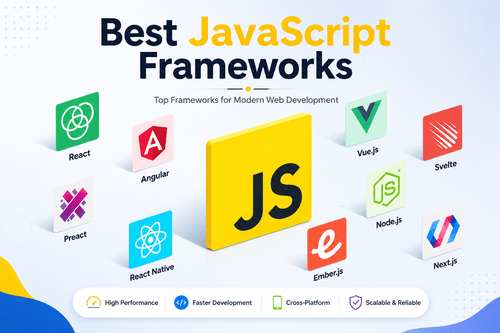
React offers flexible, component-based UI development, maintained by Meta and widely considered the most popular frontend library for building user interfaces. It’s known for its large ecosystem and flexibility across project types.
- Key Features: component-based architecture, virtual DOM rendering, massive ecosystem of libraries and tools
- Pros: huge community and job market, flexible for many project types
- Cons: requires additional libraries for routing and state management out of the box
2. Angular
Angular handles large-scale enterprise applications, maintained by Google and offering a complete, opinionated framework with everything built in rather than requiring separate libraries. It’s a strong fit for large teams wanting consistent structure.
- Key Features: complete built-in tooling, strong TypeScript integration, dependency injection system
- Pros: comprehensive out-of-the-box features, strong for large enterprise teams
- Cons: steeper learning curve than more lightweight alternatives
3. Vue.js
Vue.js provides approachable, progressive adoption, letting developers use as much or as little of the framework as needed, making it easy to integrate into existing projects gradually. It’s praised for its gentle learning curve.
- Key Features: progressive adoption model, clear and approachable documentation, reactive data binding
- Pros: easier learning curve than React or Angular, flexible integration options
- Cons: smaller job market and ecosystem compared to React
4. Svelte
Svelte delivers fast, compile-time optimized apps, taking a different approach by shifting work to compile time rather than running a virtual DOM in the browser. It’s known for producing smaller, faster applications.
- Key Features: compile-time optimization, no virtual DOM overhead, concise component syntax
- Pros: strong performance, less boilerplate code than other frameworks
- Cons: smaller ecosystem and community than React, Angular, or Vue
5. Next.js
Next.js builds full-featured React applications with server-side rendering, adding routing, server rendering, and performance optimizations on top of React. It’s become the standard choice for production React applications.
- Key Features: built-in server-side rendering, file-based routing, strong performance optimization tools
- Pros: strong default choice for production React apps, backed by Vercel
- Cons: adds complexity compared to using plain React
6. Nuxt.js
Nuxt.js provides full-featured Vue applications with server-side rendering, offering similar benefits to Next.js but built specifically for the Vue ecosystem. It’s the standard production framework for Vue developers.
- Key Features: built-in server-side rendering, file-based routing, module ecosystem for common features
- Pros: strong default choice for production Vue apps
- Cons: smaller community than Next.js given Vue’s smaller overall market share
7. SvelteKit
SvelteKit offers full-featured Svelte applications, extending Svelte with routing, server-side rendering, and other production-ready features. It’s the official framework for building complete Svelte applications.
- Key Features: built-in routing and server rendering, strong performance inheritance from Svelte, adapter-based deployment flexibility
- Pros: strong performance benefits carried over from Svelte
- Cons: smaller ecosystem than Next.js or Nuxt.js
8. Solid.js
Solid.js focuses on high-performance reactive UI development, using fine-grained reactivity to update only the exact parts of the UI that change, without a virtual DOM. It’s gaining traction among performance-focused developers.
- Key Features: fine-grained reactivity, no virtual DOM, React-like syntax with different underlying mechanics
- Pros: strong performance benchmarks, familiar syntax for React developers
- Cons: smaller community and ecosystem than more established frameworks
9. Ember.js
Ember.js provides convention-driven, ambitious web applications, following a strong opinionated structure that reduces decision fatigue for teams building large, long-lived applications. It’s a strong fit for teams wanting consistency over flexibility.
- Key Features: strong conventions and structure, built-in routing and data management, stable long-term API commitments
- Pros: strong consistency for long-term, large-scale projects
- Cons: smaller community and slower adoption of new patterns compared to React or Vue
10. Preact
Preact offers a lightweight React alternative, providing a much smaller bundle size while maintaining a similar API to React for teams wanting React’s patterns without the full weight. It’s a strong fit for performance-sensitive projects.
- Key Features: much smaller bundle size, React-compatible API, fast rendering performance
- Pros: significantly smaller footprint than React
- Cons: some React libraries require compatibility adjustments to work with Preact
11. Alpine.js
Alpine.js provides minimal JavaScript for simple interactivity, designed for adding small amounts of interactive behavior directly in HTML without a full framework setup. It’s a strong fit for simpler projects not needing a full SPA framework.
- Key Features: lightweight and minimal setup, HTML-based syntax, no build step required
- Pros: very easy to add to existing projects without a build process
- Cons: not suited for large, complex single-page applications
12. Lit
Lit specializes in lightweight web component development, built around native web component standards rather than a proprietary framework approach. It’s a strong fit for teams wanting standards-based, portable components.
- Key Features: native web component standards, small footprint, reactive property system
- Pros: strong standards-based approach, portable across different frameworks
- Cons: smaller ecosystem than more mainstream frameworks
13. Qwik
Qwik focuses on instant-loading applications through resumability, using a unique approach that delays loading JavaScript until it’s actually needed, aiming for near-instant page loads. It’s a newer, performance-focused entrant.
- Key Features: resumability architecture, minimal initial JavaScript loading, fine-grained lazy loading
- Pros: strong initial load performance, innovative approach to hydration
- Cons: newer framework with a smaller established community
14. Astro
Astro serves content-focused sites with minimal JavaScript, built around the idea of shipping as little JavaScript as possible for content-heavy sites like blogs and marketing pages. It’s a strong fit for performance-focused content sites.
- Key Features: minimal JavaScript by default, support for multiple UI frameworks in one project, strong static site performance
- Pros: excellent performance for content-heavy sites, flexible framework support
- Cons: less suited for highly interactive, application-heavy projects
15. Remix
Remix focuses on web-standard-focused full-stack React apps, emphasizing web fundamentals and server-rendered data loading patterns over client-heavy approaches. It’s a strong alternative to Next.js with a different philosophy.
- Key Features: web-standards-focused architecture, nested routing with data loading, strong form handling patterns
- Pros: strong emphasis on web fundamentals and progressive enhancement
- Cons: smaller ecosystem and community than Next.js
16. Backbone.js
Backbone.js provides lightweight structure for simpler applications, one of the earliest popular frontend frameworks, offering basic structure without heavy opinions or overhead. It’s less commonly chosen for new projects today but still maintained in legacy systems.
- Key Features: minimal, lightweight structure, flexible integration with other libraries, simple model-view architecture
- Pros: very lightweight, simple to understand
- Cons: lacks modern features and conventions found in newer frameworks
17. Bootstrap
Bootstrap offers fast, responsive UI design with pre-built components, one of the most widely used CSS frameworks for quickly building responsive, professional-looking interfaces. It’s a strong fit for teams wanting speed over full customization.
- Key Features: pre-built responsive components, grid system, extensive documentation and themes
- Pros: extremely fast to implement, huge community and resource availability
- Cons: sites can look similar without significant customization
18. Tailwind CSS
Tailwind CSS provides utility-first custom design without writing CSS from scratch, letting developers build custom designs using small, composable utility classes directly in HTML. It’s become one of the most popular styling approaches for modern projects.
- Key Features: utility-first class system, highly customizable design tokens, strong integration with modern frameworks
- Pros: highly flexible for custom designs, strong developer adoption
- Cons: HTML can become cluttered with many utility classes
19. Bulma
Bulma delivers a clean, modern CSS framework without JavaScript, offering a lightweight, purely CSS-based approach to responsive design. It’s a strong fit for teams wanting simple styling without added JavaScript dependencies.
- Key Features: pure CSS framework, flexbox-based grid system, modular component structure
- Pros: lightweight since it has no JavaScript dependency
- Cons: fewer built-in interactive components compared to Bootstrap
20. Foundation
Foundation focuses on responsive design for complex, professional sites, offering a more customizable and enterprise-oriented alternative to Bootstrap for teams needing deeper design control. It’s a solid choice for larger, more complex sites.
- Key Features: highly customizable grid system, responsive email templates, accessibility-focused components
- Pros: strong customization depth for complex projects
- Cons: steeper learning curve than more beginner-friendly frameworks like Bootstrap
21. Materialize CSS
Materialize CSS applies Material Design-based styling, giving developers a way to implement Google’s Material Design principles without building the styling from scratch. It’s a strong fit for projects wanting that specific visual language.
- Key Features: Material Design components, responsive grid system, pre-built animations
- Pros: strong for teams specifically wanting Material Design aesthetics
- Cons: less actively updated compared to more mainstream frameworks
22. Semantic UI
Semantic UI offers human-friendly HTML with themeable components, using naming conventions designed to read more like natural language than typical CSS class names. It’s a strong fit for teams who value readable markup.
- Key Features: natural-language-style class naming, extensive theming options, wide component library
- Pros: more readable markup structure than many alternatives
- Cons: slower development activity compared to more actively maintained frameworks
23. jQuery
jQuery provides simple DOM manipulation and legacy browser support, once the dominant tool for frontend JavaScript development and still present in many older codebases today. It’s less common in new projects but remains relevant for legacy maintenance.
- Key Features: simplified DOM manipulation, cross-browser compatibility handling, wide plugin ecosystem
- Pros: still widely known, useful for maintaining legacy codebases
- Cons: largely replaced by modern frameworks for new project development
24. Gatsby
Gatsby builds fast, static React-based websites, combining React with static site generation to produce highly optimized, fast-loading websites, particularly for content-driven sites. It’s a strong fit for marketing sites and blogs built with React.
- Key Features: static site generation, GraphQL-based data layer, strong performance optimization
- Pros: strong performance for static, content-focused sites
- Cons: less suited for highly dynamic, frequently updated applications
25. Meteor
Meteor offers full-stack JavaScript application development, providing an integrated platform covering both frontend and backend development in one framework. It’s a strong fit for teams wanting a unified full-stack JavaScript approach.
- Key Features: integrated full-stack development, real-time data syncing, built-in user account management
- Pros: strong for teams wanting frontend and backend unified in one system
- Cons: smaller community and adoption compared to more mainstream frontend-only frameworks
What Are the Alternatives to Frontend Frameworks?
- Vanilla JavaScript for developers wanting full control without framework overhead
- Server-rendered templating using backend languages without a dedicated frontend framework
- No-code website builders for simple sites not requiring custom frontend development
- Web components without a framework for standards-based, framework-free component development
Software Related to Frontend Frameworks
- Backend frameworks for the server-side logic that frontend applications connect to
- Build tools and bundlers for compiling and optimizing frontend code for production
- State management libraries for handling complex application data beyond basic framework features
- Testing frameworks for verifying frontend application functionality
- Design systems and component libraries for maintaining consistent UI across large applications
Challenges With Frontend Frameworks
- Framework fatigue. The frequent emergence of new frameworks can make long-term technology choices feel risky.
- Learning curve variability. Some frameworks require significant time investment before developers become productive.
- Performance trade-offs. More feature-rich frameworks can carry more overhead than lightweight alternatives.
- Ecosystem fragmentation. Choosing supporting libraries for state management or routing adds decision complexity.
- Long-term maintenance. Frameworks that lose popularity can become harder to maintain and hire for over time.
Which Companies Should Buy Frontend Frameworks
- Web development agencies building websites and applications for clients
- Startups building products quickly with small development teams
- Enterprise engineering teams maintaining large, complex web applications
- E-commerce businesses building custom storefront experiences
- Media and publishing companies building fast, content-focused websites
- SaaS companies building complex, interactive web applications
How to Choose the Best Frontend Framework
- Match the framework to your project type. Content-heavy sites benefit from Astro or Gatsby, while complex apps benefit from React or Angular.
- Consider your team’s experience. Vue and Svelte tend to have gentler learning curves than Angular.
- Think about long-term hiring needs. Frameworks with larger job markets, like React, make it easier to find developers later.
- Check performance requirements. Compile-time frameworks like Svelte and Solid.js offer strong performance benefits for demanding applications.
- Factor in ecosystem size. Larger ecosystems mean more available libraries, tutorials, and community support.
- Look at long-term framework stability. Established frameworks with strong backing tend to have more predictable long-term support.
Frontend Framework Trends
- Compile-time optimization continues growing, with frameworks like Svelte and Solid.js reducing runtime overhead.
- Resumability and partial hydration are expanding as frameworks like Qwik and Astro rethink traditional hydration approaches.
- Meta-frameworks built on top of core libraries, like Next.js and Nuxt.js, continue becoming the default way most teams build production apps.
- Utility-first CSS keeps growing in popularity, led by widespread Tailwind CSS adoption.
- Web component standards are slowly gaining more traction as a framework-agnostic building block approach.
Common Frontend Framework Problems (Fixes)
Problem: The application feels slow despite using a modern framework. Fix: check for unnecessary re-renders or unoptimized bundle sizes, since performance issues often trace back to implementation rather than the framework itself.
Problem: Choosing between too many framework options is causing delays. Fix: prioritize your team’s existing experience and project requirements over trying to pick the objectively “best” framework, since fit matters more than popularity.
Problem: The framework’s ecosystem doesn’t have a library for something you need. Fix: check whether a framework-agnostic solution, like a web component or vanilla JavaScript library, can fill the gap instead.
Problem: New team members are struggling to learn the framework quickly. Fix: invest in official documentation and structured onboarding resources rather than assuming prior framework experience transfers directly.
Problem: An older application is stuck on an outdated framework version. Fix: plan an incremental migration strategy rather than attempting a full rewrite all at once, especially for large, long-lived applications.
FAQs About Frontend Frameworks
What is the best frontend framework overall? React remains the most widely used option for its flexibility and large ecosystem, while Vue and Svelte offer gentler learning curves for smaller teams.
Are frontend frameworks free to use? Yes, virtually all major frontend frameworks, including React, Angular, Vue, and Svelte, are free and open-source.
What’s the difference between a frontend framework and a CSS framework? A frontend framework like React or Vue handles application logic and structure, while a CSS framework like Bootstrap or Tailwind CSS focuses specifically on styling and layout.
Is React still the best choice in 2026? React remains extremely popular and widely supported, though newer frameworks like Svelte and Solid.js offer strong performance advantages worth considering depending on your project.
Do I need a meta-framework like Next.js or should I use React alone? Most production applications benefit from a meta-framework for routing, server rendering, and performance tooling, though smaller projects can work fine with plain React.
Which frontend framework is easiest for beginners? Vue.js and Svelte are generally considered more approachable for beginners than Angular, due to simpler syntax and gentler learning curves.