Despite the market being filled with numerous mobile brands, the iPhone reigns supreme, and no brainstorming is needed to figure out the reasons. The quality and security provided by iPhones are still significantly ahead, and none of the other phone brands have been able to match it. However, this doesn’t imply that your iPhone can’t run into problems, and you will never have to get it repaired.
Always keep in mind that any technical device, regardless of being an expensive or high-end brand, will face issues time and again. The concern should be whether it can be fixed by performing some steps yourself or if it needs professional care. Problems that need professional care or a mobile phone repair tool are better explained by themselves, while some common problems that may look bigger but can be fixed yourself. Here we are sharing some common iPhone problems and the ways to fix them:
Fast Battery Draining
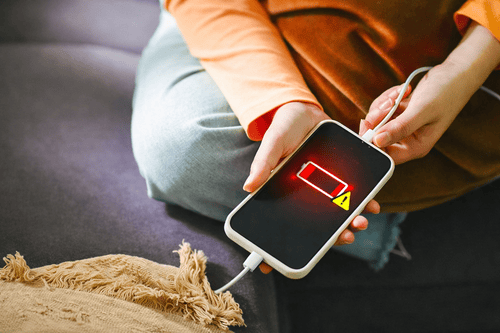
Most of the iPhone users have a common complain of battery draining too quickly. Well, in most of the cases, this problem can be fixed without taking your phone to a phone repair shop. The first thing you must do is to close the apps that are running in the background and uninstall the apps that consume too much of your battery if you don’t need them regularly.
Keeping the screen brightness too high also contributes to the draining of the battery easily, so prefer dimming the screen to save battery from draining too quickly. Deactivating location for apps to track you all the time also saves battery from draining quickly.
Apps Keep on Crashing
Constant crashing of apps is one of the most frustrating things to experience, as it interrupts daily tasks and often professional activities. If it happens to you, then instead of rushing to the repair service, give it a try to fix the issue at home, as it might work. One of the common reasons apps crashes is when you update your iPhone because the app’s version might not be supported by the operating system.
You can try restarting the phone and updating the app’s version and in most of the cases, it works. If apps continue to crash even after restarting the phone, create storage in your phone by removing the apps you don’t usually use.
Camera Not Working
Unless you have broken the camera directly by dropping your phone, there is a high chance you can fix it on your own. If it is blurry and you are unable to take pictures, the best you can do is to clean the camera using a clean microfiber cloth. Also, when you don’t take proper care of your iPhone, the first thing that gets impacted is the camera.
Some physical tricks that also helps is avoid exposing the phone in the intense humid ambiance, as extreme heat can damage the quality of photos and videos you are taking. At times, when you don’t update the iPhone’s OS with the current version, the camera starts malfunctioning, so it is important that you always update the phone with the latest OS update.
Overheating
Another most common complaint among iPhone users is overheating, and it is something that you shouldn’t ignore, as it can cause permanent damage. Before taking your phone to the professional service or trying a phone repair kit, you can try fixing this issue at home and see if it works. Switch off the phone completely and keep it in a cool and dry place because this will allow the heat to dissipate.
Remove the phone case or covers as it comes in between the air and direct ventilation of the phone, causing stress on the battery and making it overwork. Make a habit of using accessories that promote cooling and help with heat dispersion. If doing these doesn’t help you, then you should seek the mobile repair tools shop.
Wi-Fi Not Connecting
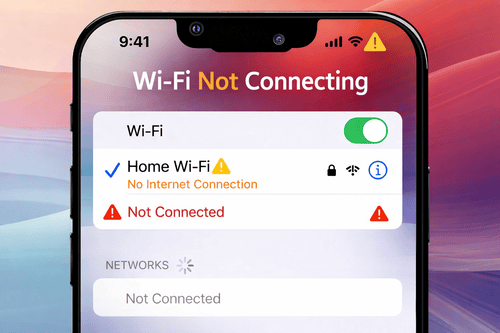
Wi-Fi is like the soul of the phone, and without it, mobiles don’t serve anything. Not getting connected to the Wi-Fi or constant interruption can come in between important work, but the good news is that you can fix this issue on your own without needing a professional service or phone repair tool kit. You can first try restarting the phone and the router to clear any network issues and refresh the connection, as most of the time, it is not the iPhone but the router’s issues.
If you find router working just fine with other connected devices, you can try installing newest iOS software update to support the Wi-Fi connection. You can also try with forgetting the network and reconnecting it by putting the credentials afresh.
Apps not installing
This is perhaps one of the rare occurrences with the iPhone, but when it happens can lead to sheer frustration. If you are dealing with this, check if the software update you were doing succeeded or failed, because time and again, the iPhone needs new features and improvements. Not having enough storage space is another reason this problem can occur, so remove unused apps and files.
If you are installing the apps by getting connected with Wi-Fi, then check if the connection is stable, and to successfully install the apps, always choose mobile data. The last thing you can do is restart your phone before you install the app to avoid any possible glitches.
Frozen Screen
Frozen screen can occur because of software glitches, overheating, and low storage, and in many cases, this problem can easily be fixed. You can restart your iPhone and hold down the button until you see the Apple logo appears and this works in most of the cases. Installing the latest software helps, as it removes the older bugs that were possibly causing the issue.
Storage can also be one of the reasons, and you should always delete the apps and files you no longer use. Always make a habit of updating your iOS whenever there is a new version available.
If your problems are far and beyond the ones discussed here, then PHONEFIX is your ideal solution as they manufacture mobile phone repair tools and kits for effective solutions.
All these discussed common issues can easily be fixed on your own, and the only time you need to give your phone for professional care and repair is if any of the issues persist. Though it is advisable to troubleshoot the common issues on your own, do not try to get into hardware fixing, as it is not recommended.