Data doesn’t just sit in one place anymore. It’s spread across a CRM, a payment processor, a marketing platform, a handful of databases, and probably a spreadsheet someone swears they’ll migrate eventually. Getting it all into one place, clean and usable, is the entire point of ETL.
we tested 20 of the most widely used ETL and data pipeline tools, from fully managed platforms like Fivetran to open source options like Airbyte and Apache NiFi. Some are built for simple, no-code pipeline setup, others for deep, custom data transformation logic that engineering teams control end to end.
this guide breaks down what each tool actually handles well, where it falls short, and who it’s genuinely built for, so you’re not stuck evaluating twenty different demo calls to figure out the same thing.
If you already know whether you want managed or self-hosted, jump straight to the comparison table. If not, keep reading for the breakdown of what actually separates these tools.
What Are ETL Tools?
ETL stands for extract, transform, load, describing the process of pulling data from various sources, converting it into a usable format, and loading it into a destination like a data warehouse or database. ETL tools automate this process, handling data extraction from APIs and databases, applying transformation logic like cleaning or reformatting data, and loading the result somewhere useful for analysis.
Some modern tools flip the order slightly, loading raw data first and transforming it afterward, an approach often called ELT. The distinction matters less than picking a tool that fits how your team actually wants to manage data pipelines, whether that’s largely automated or fully custom-built.
What Are the Common Features of ETL Tools?
Pre-built connectors: Ready-made integrations with common data sources like databases, SaaS apps, and APIs.
Data transformation logic: Tools to clean, reshape, or enrich data before it reaches its destination.
Scheduling and orchestration: Automates when and how often pipelines run.
Error handling and monitoring: Alerts teams when a pipeline fails or data looks unexpected.
Scalability: Handles growing data volume without requiring a complete pipeline redesign.
Version control integration: Especially common in code-first tools, tracking changes to pipeline logic over time.
What Are the Benefits of ETL Tools?
The biggest benefit is time saved. Building and maintaining custom scripts to move data between systems is tedious and fragile, breaking every time a source API changes. A good ETL tool handles that maintenance burden, often automatically adapting to minor source changes without requiring manual fixes.
These tools also improve data reliability. Built-in monitoring and error handling catch problems, like a failed sync or unexpected data format, before they quietly corrupt downstream reports. And centralizing data from scattered sources into one warehouse or database makes analysis dramatically easier, since teams aren’t stuck manually combining spreadsheets or querying five different systems to answer one business question.
Who Uses ETL Tools?
Data engineers are the most direct users, building and maintaining pipelines that keep data flowing reliably between systems. Analytics teams depend on ETL tools indirectly, relying on clean, consolidated data to build accurate reports and dashboards. Marketing and sales operations teams increasingly use no-code ETL tools themselves to combine data from various platforms without needing engineering support. And IT teams use ETL tools as part of broader data infrastructure and system integration projects.
How We Tested These ETL Tools
we evaluated each tool based on connector breadth and reliability, ease of setup, transformation flexibility, scalability, pricing transparency, and how well each platform handles errors and failures. we also considered whether a tool is better suited for technical, code-first teams or non-technical users who need a simpler, visual pipeline builder.
Quick Comparison of ETL Tools
| Tool | Best For | Type | Starting Price |
|---|---|---|---|
| Fivetran | Fully managed, low-maintenance pipelines | Managed ELT | Usage-based pricing |
| Talend | Enterprise data integration | Enterprise ETL | Custom pricing |
| Matillion | Cloud data warehouse ETL | Cloud ETL | Usage-based pricing |
| Informatica PowerCenter | Large-scale enterprise ETL | Enterprise ETL | Custom pricing |
| StreamSets | Pipeline monitoring and data drift detection | Data pipeline platform | Custom pricing |
| Airbyte | Open source, self-hosted pipelines | Open source ELT | Free (Cloud tier paid) |
| Apache NiFi | Real-time data flow automation | Open source | Free (open source) |
| Apache Airflow | Workflow orchestration | Open source orchestration | Free (open source) |
| Hevo Data | No-code pipeline automation | Managed ELT | Usage-based pricing |
| Stitch | Simple, developer-friendly ELT | Managed ELT | Usage-based pricing |
| dbt | SQL-based data transformation | Transformation | Free (Cloud tier paid) |
| SSIS | SQL Server-centric ETL | Database-specific ETL | Included with SQL Server |
| Pentaho Data Integration | Open source enterprise ETL | Open source/Enterprise | Free (Enterprise tier paid) |
| IBM InfoSphere DataStage | Large enterprise data integration | Enterprise ETL | Custom pricing |
| Oracle Data Integrator | Oracle-centric data integration | Database-specific ETL | Custom pricing |
| AWS Glue | Serverless ETL on AWS | Cloud ETL | Pay-as-you-go |
| Azure Data Factory | Cloud ETL on Azure | Cloud ETL | Pay-as-you-go |
| Google Cloud Dataflow | Streaming and batch data processing | Cloud ETL | Pay-as-you-go |
| Skyvia | No-code cloud data integration | Managed ELT | Free tier available |
| Integrate.io | No-code ETL for growing teams | Managed ETL | Usage-based pricing |
20 Best ETL Tools (Detailed Reviews)
1. Fivetran
Fivetran is a fully managed ELT platform known for its reliability and minimal maintenance requirements once a pipeline is configured, using a large library of pre-built connectors.
Key Features: Automated schema handling, extensive connector library, minimal ongoing maintenance.
Pros: Extremely low maintenance after setup, reliable syncing, wide connector coverage.
Cons: Usage-based pricing can become expensive as data volume grows.
2. Talend
Talend is an enterprise-grade data integration platform offering deep transformation capabilities and strong data quality tools, commonly used by larger organizations with complex integration needs.
Key Features: Broad connector support, built-in data quality tools, enterprise governance features.
Pros: Comprehensive feature set for complex integration projects, strong data quality tooling.
Cons: Steeper learning curve and higher cost than simpler ETL tools.
3. Matillion
Matillion is a cloud-native ETL platform built specifically around loading and transforming data for cloud data warehouses like Snowflake, BigQuery, and Redshift.
Key Features: Visual pipeline builder, native cloud data warehouse integration, push-down transformation processing.
Pros: Strong fit for cloud data warehouse workflows, intuitive visual interface.
Cons: Primarily built around cloud destinations, less useful for on-premises needs.
4. Informatica PowerCenter
Informatica PowerCenter is a long-standing enterprise ETL platform known for handling extremely large, complex data integration projects across diverse enterprise systems.
Key Features: High-volume data processing, broad enterprise system connectivity, strong metadata management.
Pros: Proven reliability at massive enterprise scale, deep feature set.
Cons: High cost and complexity generally limit it to large organizations.
5. StreamSets
StreamSets focuses on data pipeline monitoring and reliability, with particular strength in detecting data drift, when incoming data unexpectedly changes shape or format.
Key Features: Data drift detection, pipeline health monitoring, hybrid deployment support.
Pros: Strong visibility into pipeline health over time, good for long-running production pipelines.
Cons: More complex setup compared to simpler point-to-point ETL tools.
6. Airbyte
Airbyte is an open source data movement platform offering a free, self-hostable alternative to commercial ELT tools, with a rapidly growing connector library maintained partly by its community.
Key Features: Open source connectors, self-hosting option, active community-driven development.
Pros: Free to self-host, transparent and customizable, growing fast in adoption.
Cons: Self-hosting requires more hands-on management than fully managed alternatives.
7. Apache NiFi
Apache NiFi is an open source tool built for automating and managing real-time data flows between systems, with a visual, flow-based interface for designing pipelines.
Key Features: Visual flow-based pipeline design, real-time data routing, strong data provenance tracking.
Pros: Free and open source, excellent for real-time data flow scenarios, flexible routing logic.
Cons: Requires more hands-on infrastructure management than managed cloud alternatives.
8. Apache Airflow
Apache Airflow is an open source workflow orchestration tool, widely used to schedule and manage complex data pipelines, often alongside other ETL tools rather than as a standalone extraction tool itself.
Key Features: Code-based pipeline definition, flexible scheduling, broad plugin ecosystem.
Pros: Extremely flexible and widely adopted, strong for orchestrating complex, multi-step pipelines.
Cons: Requires coding knowledge and more setup effort than no-code alternatives.
9. Hevo Data
Hevo Data is a no-code data pipeline platform aimed at teams that want automated, reliable pipelines without needing dedicated data engineering resources.
Key Features: No-code pipeline setup, automated schema mapping, real-time data sync.
Pros: Easy to set up without engineering support, good for non-technical teams.
Cons: Less flexible than code-first tools for highly custom transformation logic.
10. Stitch
Stitch is a simple, developer-friendly ELT tool focused on straightforward data replication into a warehouse, with less emphasis on complex transformation than some competitors.
Key Features: Simple setup, wide connector selection, transparent usage-based pricing.
Pros: Easy to get started quickly, good for teams that want simplicity over deep customization.
Cons: Transformation capabilities are more limited compared to tools like Talend or Matillion.
11. dbt
dbt, short for data build tool, focuses specifically on the transformation step of ELT, letting analysts and engineers write SQL-based transformations with version control and testing built in.
Key Features: SQL-based transformations, built-in testing, version control integration.
Pros: Brings software engineering discipline to data transformation, widely adopted in modern data stacks.
Cons: Handles only transformation, requiring a separate tool for extraction and loading.
12. SSIS
SQL Server Integration Services, or SSIS, is Microsoft’s ETL tool built specifically for SQL Server environments, commonly used by organizations already deeply invested in Microsoft’s data stack.
Key Features: Deep SQL Server integration, visual pipeline design, broad Microsoft ecosystem compatibility.
Pros: Included with SQL Server licensing, strong for Microsoft-centric environments.
Cons: Less useful outside the Microsoft ecosystem, and the interface feels dated.
13. Pentaho Data Integration
Pentaho Data Integration is an open source ETL tool with an optional enterprise edition, offering a visual pipeline design interface and broad connector support.
Key Features: Visual pipeline builder, open source core, broad database and file format support.
Pros: Free open source version covers substantial functionality, flexible for varied data sources.
Cons: Interface feels less modern compared to newer cloud-native competitors.
14. IBM InfoSphere DataStage
IBM InfoSphere DataStage is an enterprise ETL tool built for large-scale, complex data integration, commonly used in big enterprise environments already using IBM’s broader data infrastructure.
Key Features: Parallel processing engine, broad enterprise connectivity, strong governance integration.
Pros: Handles very large, complex integration projects reliably, deep enterprise feature set.
Cons: High cost and complexity generally limit it to large organizations.
15. Oracle Data Integrator
Oracle Data Integrator is built specifically for Oracle-centric environments, offering strong performance for organizations already running Oracle databases and infrastructure.
Key Features: Native Oracle database integration, high-performance data loading, broad enterprise connectivity.
Pros: Strong fit for Oracle-heavy environments, reliable performance at scale.
Cons: Less compelling for organizations not primarily using Oracle infrastructure.
16. AWS Glue
AWS Glue is a serverless ETL service built into the AWS ecosystem, letting teams build and run data pipelines without managing underlying infrastructure directly.
Key Features: Serverless architecture, automatic schema discovery, tight AWS service integration.
Pros: No infrastructure to manage, scales automatically, strong for AWS-centric data architectures.
Cons: Most valuable specifically within the AWS ecosystem.
17. Azure Data Factory
Azure Data Factory is Microsoft’s cloud-based ETL and data integration service, offering visual pipeline design alongside strong integration with other Azure services.
Key Features: Visual pipeline design, hybrid data integration, tight Azure ecosystem integration.
Pros: Strong for Azure-centric organizations, flexible hybrid cloud and on-premises support.
Cons: Most valuable specifically within the Azure ecosystem.
18. Google Cloud Dataflow
Google Cloud Dataflow is a fully managed service for both streaming and batch data processing, built on the open source Apache Beam framework.
Key Features: Unified streaming and batch processing, serverless scaling, Apache Beam foundation.
Pros: Strong for real-time streaming use cases, scales automatically without manual management.
Cons: Requires more technical expertise to use effectively compared to simpler no-code tools.
19. Skyvia
Skyvia is a no-code cloud data integration platform aimed at simplifying ETL for teams that want a browser-based solution without deep technical setup.
Key Features: No-code pipeline setup, cloud-to-cloud and database integration, scheduled sync options.
Pros: Easy to use without technical expertise, solid free tier for smaller data volumes.
Cons: Less suited for very large, complex enterprise integration projects.
20. Integrate.io
Integrate.io is a no-code ETL platform aimed at growing teams that want reliable data pipelines without needing dedicated engineering resources to build and maintain them.
Key Features: Visual no-code pipeline builder, broad connector library, built-in data transformation tools.
Pros: Accessible for non-technical users, good balance of features and simplicity.
Cons: Less flexible than code-first tools for highly custom transformation needs.
What Are the Alternatives to ETL Tools?
Some smaller teams write custom scripts to move and transform data manually, which can work for very simple, low-volume needs but becomes fragile and time-consuming to maintain as data sources and volume grow. Native export and import features built into individual platforms are another lightweight option, though they typically lack scheduling, monitoring, and transformation capabilities.
Software Related to ETL Tools
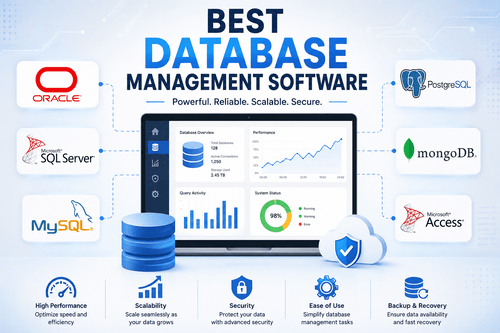
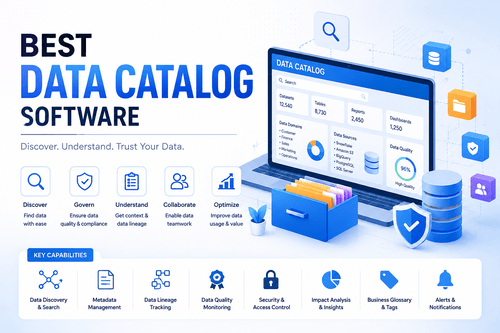
Related tools include data integration platforms, which overlap significantly with ETL tools, database management software for the destinations data gets loaded into, data catalog software for organizing and documenting the resulting data assets, and data governance tools for managing access and compliance across pipelines.
Challenges with ETL Tools
Managing schema changes at the source is a persistent challenge, since an unexpected change in an API or database structure can break a pipeline without warning. Balancing cost against data volume is another ongoing tension, especially with usage-based pricing models that can scale unpredictably. Data quality issues can also slip through undetected if a pipeline doesn’t include proper validation steps. And choosing between fully managed and self-hosted tools involves a real tradeoff between convenience and control that teams often underestimate upfront.
Which Companies Should Buy ETL Tools
Small teams and startups often benefit most from simple, managed tools like Stitch, Hevo Data, or Skyvia that don’t require dedicated data engineering staff. Growing companies building out a modern data stack frequently combine a managed ELT tool like Fivetran with a transformation tool like dbt. Large enterprises with complex, high-volume integration needs typically require the depth of platforms like Informatica, Talend, or IBM InfoSphere DataStage. And companies already committed to a specific cloud provider often do well with that provider’s native tool, like AWS Glue or Azure Data Factory.
How to Choose Best ETL Tools
Start by identifying your actual data sources and destinations, since connector support varies significantly between tools. Consider your team’s technical capacity, since some tools are built for non-technical users while others assume coding and infrastructure expertise. Factor in expected data volume and growth, since pricing models vary widely and can scale unpredictably. And decide early whether you want a fully managed service or more control through a self-hosted, open source option.
ETL Tools Trends
The shift from traditional ETL to ELT, loading raw data first and transforming it afterward inside the warehouse, continues to grow as cloud data warehouses become more powerful and affordable. AI-assisted data mapping and transformation suggestions are also showing up in more platforms, reducing manual configuration work. And real-time streaming pipelines are becoming more common as businesses want fresher data rather than relying solely on scheduled batch processing.
Common ETL Tools Problems (Fixes)
Problem: Pipelines breaking after a source system changes its schema. Fix: Use a tool with automated schema drift handling, and set up alerts so you’re notified immediately rather than discovering it through broken reports.
Problem: Runaway costs from usage-based pricing. Fix: Monitor data volume closely and set usage alerts, especially with tools that charge based on rows processed or synced.
Problem: Slow pipeline performance at scale. Fix: Review whether transformations are happening efficiently, and consider push-down processing that lets the destination warehouse handle heavy computation.
Problem: Data quality issues going unnoticed. Fix: Build validation checks directly into your pipeline rather than relying on catching problems after data reaches its destination.
Problem: Difficulty debugging pipeline failures. Fix: Use a tool with clear logging and monitoring, and structure pipelines in smaller, testable steps rather than one large, opaque process.
FAQs About ETL Tools
What’s the difference between ETL and ELT?
ETL transforms data before loading it into the destination, while ELT loads raw data first and transforms it afterward, usually inside a modern cloud data warehouse capable of handling that processing efficiently.
Do I need a paid ETL tool, or can I build pipelines myself?
For simple, low-volume needs, custom scripts can work, but as data sources and volume grow, dedicated ETL tools save significant time and reduce the risk of pipeline failures going unnoticed.
Which ETL tool is best for non-technical teams?
No-code tools like Hevo Data, Skyvia, and Integrate.io are generally the most accessible for teams without dedicated data engineering resources.
Is open source ETL software reliable for production use?
Yes, tools like Airbyte, Apache NiFi, and Pentaho Data Integration are widely used in production environments, though they typically require more hands-on infrastructure management than fully managed alternatives.
How much do ETL tools typically cost?
Pricing varies widely, from free open source options to usage-based pricing that scales with data volume, often ranging from a few hundred to several thousand dollars a month depending on scale.
Can I use multiple ETL tools together?
Yes, and many modern data stacks do exactly that, using one tool for extraction and loading, like Fivetran, and a separate tool like dbt specifically for transformation.