Picking a database feels like a small decision until you’re three years into a project and realize you picked wrong. Maybe it’s slow at the scale you’re now at. Maybe your team spends more time fighting the tool than building on it. Maybe the licensing bill grew faster than your revenue did.
we looked at 25 of the most widely used database management platforms on the market right now, from open source engines like PostgreSQL and MySQL to cloud-native systems like Snowflake and Amazon Aurora. Some are built for transactional apps, some for analytics, some for massive unstructured datasets, and a few try to do all three at once.
this guide breaks down what each one actually does well, where it falls short, and who it’s actually built for. No vague “it depends” answers, just a real comparison so you can shortlist faster.
If you’re evaluating options right now, skip to the comparison table below, or read through the full reviews to see which platform fits your specific data, team size, and budget.
What Is Database Management Software?
Database management software is a system that lets you store, organize, retrieve, and update data in a structured way. It sits between your application and your raw data, handling things like queries, indexing, security, and concurrent access so you don’t have to build that infrastructure yourself.
Some database management systems, or DBMS, are relational and use tables with defined schemas, like PostgreSQL or MySQL. Others are non-relational, storing data as documents, key-value pairs, or graphs, which suits less structured or rapidly changing data. Most businesses end up using more than one type depending on what each application actually needs.
What Are the Common Features of Database Management Software?
Data storage and retrieval: Core functionality for saving and pulling data quickly, even at large scale.
Querying language support: Most relational systems use SQL, while NoSQL systems often use their own query syntax or APIs.
Indexing: Speeds up data retrieval by creating structures that let the database find records without scanning every row.
Backup and recovery: Automated or manual tools to protect against data loss and restore systems after failure.
Access control and security: User permissions, encryption, and authentication to keep data protected.
Scalability options: Vertical scaling (bigger servers) or horizontal scaling (more servers) depending on the platform.
Replication: Copying data across multiple servers or regions for reliability and faster access.
Transaction management: Ensuring operations complete fully or not at all, which matters a lot for financial or inventory data.
What Are the Benefits of Database Management Software?
A good database management system keeps your data consistent and accurate, even when multiple people or applications are reading and writing at the same time. It also protects against data loss through backups and replication, so a server failure doesn’t turn into a business emergency.
Beyond reliability, the right platform can meaningfully affect performance and cost. A database built for your actual workload, whether that’s high-frequency transactions or big analytical queries, runs faster and cheaper than a mismatched tool forced to do a job it wasn’t built for. And as your data grows, a scalable database means you’re not rebuilding your entire data layer every time you hit a new growth milestone.
Who Uses Database Management Software?
Software engineers and backend developers use these systems daily to store application data, from user accounts to transaction records. Data engineers and analysts rely on them to run queries, build pipelines, and support reporting. DBAs, or database administrators, are often the ones directly responsible for performance tuning, backups, and security configuration.
Beyond the technical teams, businesses of every size depend on these systems indirectly. E-commerce platforms, SaaS products, financial services, and healthcare systems all sit on top of a database, even if most employees never interact with it directly.
How We Tested These Database Management Software
we evaluated each platform based on a handful of consistent factors: ease of setup and management, query performance under realistic workloads, scalability options, security features, pricing transparency, and community or vendor support. we also looked at real user reviews and documented use cases to understand how each tool performs outside of marketing claims.
Quick Comparison of Database Management Software
| Software | Best For | Type | Starting Price |
|---|---|---|---|
| PostgreSQL | Open source relational workloads | Relational | Free |
| MySQL | Web applications | Relational | Free |
| Oracle Database | Enterprise transactional systems | Relational | Custom pricing |
| Microsoft SQL Server | Microsoft-centric enterprises | Relational | Free tier available, paid tiers vary |
| MongoDB | Flexible document storage | NoSQL (Document) | Free tier available |
| Snowflake | Cloud data warehousing | Analytical | Consumption-based |
| Google BigQuery | Serverless analytics | Analytical | Pay-per-query |
| Amazon RDS | Managed relational databases | Relational (Managed) | Pay-as-you-go |
| Amazon Aurora | High-performance cloud databases | Relational (Managed) | Pay-as-you-go |
| MariaDB | MySQL-compatible open source | Relational | Free |
| IBM Db2 | Enterprise hybrid cloud data | Relational | Custom pricing |
| SAP HANA | Real-time enterprise analytics | In-memory | Custom pricing |
| Redis | Caching and fast key-value storage | NoSQL (Key-Value) | Free tier available |
| Cassandra | Massive distributed workloads | NoSQL (Wide-column) | Free (open source) |
| Couchbase | Flexible, high-performance apps | NoSQL (Document) | Free tier available |
| Firebase Firestore | Mobile and web app backends | NoSQL (Document) | Free tier available |
| SQLite | Lightweight embedded apps | Relational | Free |
| Teradata | Large-scale enterprise analytics | Analytical | Custom pricing |
| Vertica | High-performance analytics | Analytical | Custom pricing |
| Neo4j | Graph-based relationships | NoSQL (Graph) | Free tier available |
| Elasticsearch | Search and log analytics | NoSQL (Search) | Free tier available |
| ClickHouse | Real-time analytical queries | Analytical | Free (open source) |
| CockroachDB | Distributed, resilient SQL | Relational (Distributed) | Free tier available |
| PlanetScale | Serverless MySQL | Relational (Managed) | Free tier available |
| Supabase | Open source Firebase alternative | Relational (Managed) | Free tier available |
25 Best Database Management Software (Detailed Reviews)
1. PostgreSQL
PostgreSQL is the most widely adopted open source relational database, known for its reliability, standards compliance, and extensibility. It supports advanced data types and is a favorite for teams that need a powerful, free relational system without vendor lock-in.
Key Features: Advanced indexing, JSON support, extensibility through custom functions, strong ACID compliance. Pros: Free and open source, huge community, highly reliable, handles complex queries well. Cons: Requires more manual tuning for very high-scale workloads compared to some managed alternatives.
2. MySQL
MySQL powers a huge share of the web, from WordPress sites to large e-commerce platforms. It’s known for being fast, simple to set up, and widely supported across hosting providers and frameworks.
Key Features: Replication support, wide framework compatibility, strong read performance, mature ecosystem. Pros: Free, extremely well documented, easy to find talent familiar with it. Cons: Historically weaker at complex queries compared to PostgreSQL.
3. Oracle Database
Oracle Database is a long-standing enterprise relational database known for handling massive, mission-critical transactional workloads. It’s common in large financial institutions and enterprises with complex compliance needs.
Key Features: Advanced partitioning, strong security controls, high availability clustering, extensive enterprise tooling. Pros: Extremely reliable at scale, mature enterprise support, deep feature set. Cons: Licensing costs can be very high, and setup complexity requires specialized expertise.
4. Microsoft SQL Server
Microsoft SQL Server is a relational database deeply integrated with the Microsoft ecosystem, making it a natural fit for businesses already running on Azure, .NET, and other Microsoft tools.
Key Features: Integration with Power BI and Azure, strong security features, built-in analytics tools. Pros: Smooth integration for Microsoft-centric teams, solid performance, strong tooling. Cons: Licensing costs add up quickly outside the free Express tier.
5. MongoDB
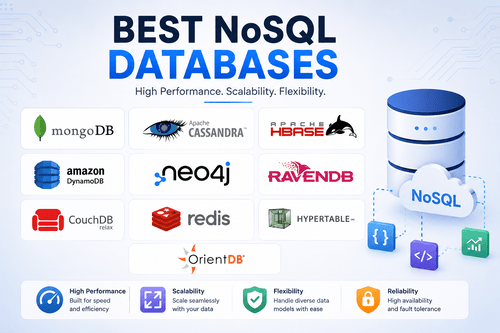
MongoDB is a leading NoSQL document database, storing data in flexible, JSON-like documents instead of rigid tables. It’s popular for applications where the data structure changes often or doesn’t fit neatly into rows and columns.
Key Features: Flexible schema, horizontal scaling, strong developer tooling, Atlas cloud hosting. Pros: Easy to get started, scales well horizontally, great for rapidly evolving data models. Cons: Less efficient for complex relational queries compared to SQL databases.
6. Snowflake
Snowflake is a cloud-based data warehouse built for analytics at scale, with a distinctive architecture that separates storage and compute so you can scale each independently.
Key Features: Multi-cloud support, consumption-based pricing, strong data sharing capabilities. Pros: Scales effortlessly, minimal maintenance overhead, works across major cloud providers. Cons: Costs can climb quickly without careful usage monitoring.
7. Google BigQuery
BigQuery is Google’s serverless data warehouse, built for running fast analytical queries over massive datasets without managing any infrastructure.
Key Features: Serverless architecture, built-in machine learning integration, pay-per-query pricing. Pros: No infrastructure to manage, extremely fast on large datasets, tight integration with Google Cloud. Cons: Costs can be unpredictable if queries aren’t optimized.
8. Amazon RDS
Amazon RDS is a managed relational database service supporting multiple engines, including PostgreSQL, MySQL, and SQL Server, handling backups, patching, and scaling automatically.
Key Features: Multi-engine support, automated backups, read replicas, high availability options. Pros: Reduces operational overhead significantly, flexible engine choice, solid AWS integration. Cons: Costs scale with usage and can surprise teams that don’t monitor closely.
9. Amazon Aurora
Amazon Aurora is AWS’s own high-performance relational database, compatible with MySQL and PostgreSQL, built to offer better performance and availability than standard RDS instances.
Key Features: Auto-scaling storage, fast failover, compatibility with existing MySQL/PostgreSQL tools. Pros: Strong performance improvements over standard managed databases, high durability. Cons: Tied to the AWS ecosystem, which can complicate multi-cloud strategies.
10. MariaDB
MariaDB is a MySQL-compatible open source database created by the original MySQL developers after Oracle’s acquisition of MySQL, offering similar performance with some additional features.
Key Features: MySQL compatibility, strong storage engine options, active open source development. Pros: Free, drop-in replacement for MySQL in many cases, actively maintained. Cons: Smaller ecosystem and community compared to MySQL itself.
11. IBM Db2
IBM Db2 is an enterprise relational database built for hybrid cloud environments, commonly used by large organizations already invested in IBM’s broader technology stack.
Key Features: AI-powered query optimization, hybrid cloud deployment, strong data compression. Pros: Reliable for large enterprise workloads, strong security and compliance features. Cons: Steeper learning curve and higher cost compared to open source alternatives.
12. SAP HANA
SAP HANA is an in-memory database designed for real-time analytics and transaction processing, commonly paired with SAP’s broader enterprise resource planning products.
Key Features: In-memory processing, real-time analytics, tight SAP ecosystem integration. Pros: Extremely fast for real-time reporting, strong for combined transactional and analytical workloads. Cons: Expensive and generally only makes sense for businesses already in the SAP ecosystem.
13. Redis
Redis is an in-memory key-value store known for extremely fast read and write speeds, commonly used for caching, session storage, and real-time applications.
Key Features: In-memory storage, pub/sub messaging, support for multiple data structures. Pros: Extremely fast, simple to use for caching needs, widely supported. Cons: Not designed as a primary database for complex relational data.
14. Cassandra
Apache Cassandra is a distributed NoSQL database built to handle massive amounts of data across many servers with no single point of failure, commonly used by companies with huge scale needs.
Key Features: Linear scalability, high write throughput, no single point of failure. Pros: Excellent for very large, distributed workloads, strong fault tolerance. Cons: Complex to manage and tune properly without dedicated expertise.
15. Couchbase
Couchbase is a distributed NoSQL document database built for high performance applications, combining the flexibility of document storage with strong caching capabilities.
Key Features: Built-in caching, flexible document model, mobile sync support. Pros: Fast performance for high-traffic applications, flexible data model. Cons: Smaller community compared to MongoDB, which can mean fewer third-party resources.
16. Firebase Firestore
Firestore is Google’s NoSQL document database built specifically for mobile and web app backends, offering real-time data syncing and tight integration with other Firebase services.
Key Features: Real-time data sync, offline support, tight Firebase and Google Cloud integration. Pros: Very fast to build with, great for mobile apps, generous free tier. Cons: Query capabilities are more limited compared to traditional relational databases.
17. SQLite
SQLite is a lightweight, file-based relational database that doesn’t require a separate server process, making it ideal for embedded applications, mobile apps, and small-scale projects.
Key Features: Zero-configuration setup, serverless architecture, small footprint. Pros: Extremely simple to use, no server maintenance required, free. Cons: Not built for high-concurrency, multi-user production environments.
18. Teradata
Teradata is an enterprise data warehousing platform built for large-scale analytics, commonly used by big organizations with massive volumes of historical data to analyze.
Key Features: Massively parallel processing, strong analytics performance, hybrid cloud support. Pros: Excellent for very large-scale analytical workloads, mature enterprise tooling. Cons: High cost and complexity generally limit it to large enterprises.
19. Vertica
Vertica is a columnar analytical database built for fast query performance on large datasets, often used for business intelligence and advanced analytics workloads.
Key Features: Columnar storage, strong compression, in-database machine learning support. Pros: Very fast analytical query performance, scales well for large datasets. Cons: Requires more specialized setup knowledge compared to simpler analytics tools.
20. Neo4j
Neo4j is a graph database built specifically for storing and querying data based on relationships, commonly used for fraud detection, recommendation engines, and network analysis.
Key Features: Native graph storage, Cypher query language, strong relationship traversal performance. Pros: Excellent for relationship-heavy data, fast for connected data queries. Cons: Less suited for simple tabular data compared to relational databases.
21. Elasticsearch
Elasticsearch is a distributed search and analytics engine, commonly used for full-text search, log analysis, and real-time application monitoring rather than as a primary transactional database.
Key Features: Full-text search, real-time indexing, strong aggregation capabilities. Pros: Extremely fast search performance, flexible for logs and unstructured text. Cons: Not designed to serve as a primary system of record for transactional data.
22. ClickHouse
ClickHouse is an open source columnar database built for extremely fast analytical queries, commonly used for real-time dashboards and large-scale event data analysis.
Key Features: Columnar storage, real-time query performance, strong compression. Pros: Free and open source, excellent speed for analytical workloads. Cons: Not built for transactional workloads requiring frequent updates.
23. CockroachDB
CockroachDB is a distributed SQL database built for resilience, designed to survive server and even regional failures without downtime while maintaining strong consistency.
Key Features: Distributed architecture, strong consistency, automatic failover. Pros: Excellent resilience and uptime, familiar SQL interface. Cons: More complex and costly to run compared to a single-node relational database.
24. PlanetScale
PlanetScale is a serverless MySQL-compatible database platform built for modern application development, offering branching and schema change workflows similar to how developers use Git.
Key Features: Database branching, serverless scaling, non-blocking schema changes. Pros: Modern developer workflow, reduces downtime during schema changes. Cons: Newer platform with a smaller long-term track record compared to legacy databases.
25. Supabase
Supabase is an open source alternative to Firebase, built on top of PostgreSQL and offering authentication, real-time subscriptions, and storage alongside a full relational database.
Key Features: PostgreSQL foundation, built-in authentication, real-time subscriptions, generous free tier. Pros: Combines relational database power with modern developer tooling, open source and transparent pricing. Cons: Smaller ecosystem than Firebase, still maturing some enterprise features.
What Are the Alternatives to Database Management Software?
Some smaller teams try to get by with spreadsheets or flat files for simple data needs, though this quickly becomes unmanageable as data grows or multiple people need access at once. Others use low-code platforms with built-in data storage, trading flexibility for simplicity. For most businesses handling any meaningful amount of structured data, a dedicated database management system remains the more reliable long-term choice.
Software Related to Database Management Software
Related tools include ETL and data integration platforms for moving data between systems, data catalog software for organizing and discovering data assets, data governance tools for managing access and compliance, and business intelligence platforms for turning stored data into reports and dashboards.
Challenges with Database Management Software
Scaling remains one of the biggest challenges, since a database that works fine at a small scale can struggle badly as data volume and user traffic grow. Security is another ongoing concern, given how often databases are targeted in breaches. Cost management, especially with usage-based cloud databases, requires active monitoring to avoid surprise bills. And migrating between database systems, whether for cost or performance reasons, is often far more time-consuming than teams initially expect.
Which Companies Should Buy Database Management Software?
Startups and small businesses generally benefit most from free, open source options like PostgreSQL or MySQL, which keep costs low while still being genuinely capable. Growing companies that need less operational overhead often move toward managed cloud databases like Amazon RDS or Aurora. Large enterprises with complex compliance and performance needs tend to justify the cost of platforms like Oracle, SAP HANA, or Teradata. And companies with data-heavy analytical needs, regardless of size, are usually well served by cloud data warehouses like Snowflake or BigQuery.
How to Choose Best Database Management Software
Start by identifying whether your workload is primarily transactional, like an e-commerce checkout system, or analytical, like a reporting dashboard, since that alone narrows your options significantly. Consider your team’s existing expertise, since a powerful but unfamiliar system often causes more problems than a simpler one your team already knows. Factor in expected growth, since switching databases later is expensive and disruptive. And be honest about your budget, including hidden costs like support, scaling, and specialized staff needed to run more complex systems well.
Database Management Software Trends
AI-assisted query optimization is becoming standard across major platforms, helping automatically tune performance without manual intervention. Serverless and consumption-based pricing models continue gaining ground, letting businesses pay only for what they use rather than provisioning fixed capacity. Multi-model databases that support relational, document, and graph data in one system are also becoming more common, reducing the need to run multiple specialized systems side by side.
Common Database Management Software Problems (Fixes)
Problem: Slow query performance. Fix: Review and optimize indexes, and check whether queries are written efficiently before assuming you need more hardware.
Problem: Unexpected scaling costs. Fix: Set up usage alerts and regularly review your database’s resource consumption, especially on consumption-based platforms.
Problem: Downtime during maintenance or failover. Fix: Use platforms with built-in high availability and test your failover process regularly instead of assuming it works.
Problem: Data inconsistency across replicas. Fix: Understand your database’s consistency model and choose the right one, strong or eventual, based on what your application actually needs.
Problem: Difficult migrations between systems. Fix: Plan migrations in phases, test thoroughly in a staging environment, and use dedicated migration tools rather than manual data transfers.
FAQs About Database Management Software
What is the best free database management software?
PostgreSQL and MySQL are both widely regarded as excellent free, open source options, with PostgreSQL generally preferred for complex queries and MySQL for simpler, high-traffic web applications.
What’s the difference between SQL and NoSQL databases?
SQL databases use structured tables with defined schemas, while NoSQL databases store data more flexibly, as documents, key-value pairs, or graphs, which suits data that doesn’t fit neatly into rows and columns.
Do I need a managed database service?
If your team doesn’t want to handle backups, patching, and scaling manually, a managed service like Amazon RDS or Aurora removes a lot of that operational burden, though it comes at a higher cost than self-managing.
Which database is best for a small startup?
PostgreSQL or MySQL are common starting points for startups given their zero licensing cost and strong community support, with an option to move to managed or specialized platforms as needs grow.
Can I use more than one database management system at once?
Yes, and many companies do, using different databases for different workloads, like a relational database for transactions and a search engine like Elasticsearch for full-text search.
How do I know when it’s time to switch databases?
Common signs include consistent performance issues that tuning doesn’t fix, growing costs that outpace your usage, or hitting fundamental limitations in how your current database handles your data model.